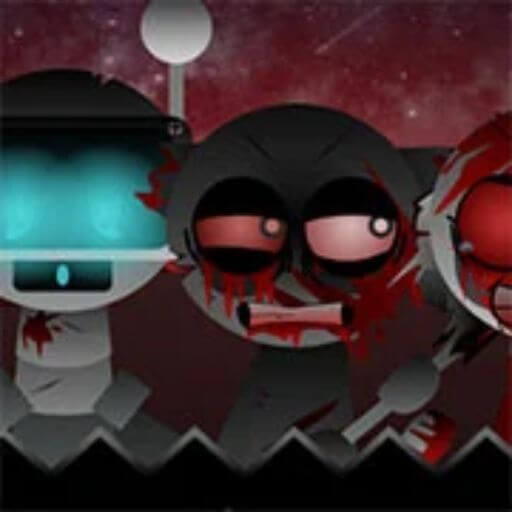
Start with a beat character so the loop has a clear pulse before the screen gets busy.
Rotate your phone for landscape play
S P R U N K I · W I K I
Warming up the beat…
Loading game...
Sprunki Definitive Phase 10
Put the original Sprunki cast to the test
Free fan games. Play and share without an account.
- Play the sound quiz →
Five sounds. Tap one character for each. Compare today's score with a friend.
- Open a free card pack →
Open a free three-card pack. Choose your favorites for a share image.
- Make a weird remix →
Tap two original characters. Save the result as a six-second clip.
What version is Sprunki Definitive Phase 10?
Sprunki Definitive Phase 10 is a numbered Phase variant focused on phase number, character order, sound tray, and phase selector behavior.
numbered Phase variantsprunkiphasefannewpopular
First mix to try
- Drop one beat character first so Sprunki Definitive Phase 10 has a steady base loop.
- Add one effect character and listen for the version mood before adding more noise.
- Place one melody character after the rhythm is clear.
- Finish the first loop with one vocal character.
- Do not fill every slot at once; build slowly, then swap characters to hear what changed.
Quick Facts
- Game type
- numbered Phase variant
- Best first test
- Drop one beat character first so Sprunki Definitive Phase 10 has a steady base loop.
- Main focus
- phase number, character order, sound tray, and phase selector behavior
- Listed title
- Sprunki Definitive Phase 10
Controls
Sprunki Definitive Phase 10 uses the familiar Sprunki mixing pattern: build a loop, remove layers, then compare how each character changes the sound.
- Drag or tap character icons into open slots to start a loop.
- Remove or swap one character at a time so the changed sound stays clear.
- Use fullscreen on mobile when icons, slots, or phase buttons feel cramped.
Sprunki Definitive Phase 10 Mix Tips
- Keep one empty slot while testing Sprunki Definitive Phase 10; a crowded tray hides which character changed the loop.
- For a numbered Phase variant, compare normal and darker combinations before deciding the strongest mix.
- If the version has a phase button or transformed cast, test the same beat/effect/melody/vocal order again after the change.
- Use headphones for the second pass because small effect layers are easy to miss on phone speakers.
Characters and Sound Combos
Sprunki Definitive Phase 10 is a numbered Phase variant that does not name a cast of its own, so the four sound roles below are how it reads.
Add one effect character next; this is where the version usually shows its mood or gimmick.
Bring in one melody character only after the beat and effect can be heard clearly.
Finish the first pass with a vocal character, then decide whether the mix needs more layers.
Version Differences
Sprunki Definitive Phase 10 should be compared by what changes while playing: roster order, icon behavior, sound categories, visual state, phase controls, and whether the version behaves like numbered Phase variant.
- Phase pages need the exact phase number, reachable phase controls, background shift, and character order change.
- Later phases are not automatically better; judge whether the playable build actually exposes the phase it claims.
- Check the first loaded screen, not only the thumbnail.
- Compare the same four-layer mix across related versions before judging which one is stronger.
Normal vs Horror Mode
Sprunki Definitive Phase 10 may not expose a separate horror button, so compare the normal loop against any darker visual, audio, or character-state changes you can trigger.
- Build the same beat, effect, melody, and vocal order before and after a visible mode change.
- Watch for transformed character art, darker backgrounds, distorted vocals, or phase-state changes.
- For Sprunki Definitive Phase 10, keep the comparison tied to what changes while playing rather than only the page title.
Creator and Source Notes
The source listing below identifies where this game was collected. A mirror listing is not proof of original authorship or permission to reuse its assets.
Source listing on funkygame.io
- Do not treat a thumbnail, file name, or mirror label as creator proof.
- Use comments to report missing attribution, broken loads, or a better source note.
- Compare related versions before assuming two similarly named pages are the same build.
Hidden Combos and Mix Ideas
Sprunki Definitive Phase 10 is worth replaying with small mix changes because hidden combos are easiest to notice when the base loop is simple.
- Start with one beat and one effect, then add a melody only after the loop is stable.
- Swap the vocal last; vocals make hidden or darker variants easier to hear.
- If a phase, horror, or transformed mode appears, repeat the same four-slot mix after the change.
Loading, Mobile, and Fullscreen Help
- Sprunki Definitive Phase 10 may need a few seconds to download art, code, and audio before the first screen appears.
- Tap or click inside the player once after loading; browsers often block audio until a user action.
- On phones, use fullscreen before testing a small sound tray or FNF chart.
- If the frame stays blank after one reload, move to a related version instead of repeatedly refreshing.
Related Versions to Try Next
All GamesAfter Sprunki Definitive Phase 10, try Sprunke (Sprunki) Betters And Loses Phase 4, Sprunki (Phase 4) Alternate Edition, Sprunki ANTI-SHIFTED PHASE 3, SPRUNKI Anti-Shifted Phase 4 Swapped. Pick the next page by version family, character signal, horror or normal mood, and whether you want another music mix, a phase variant, a Treatment mod, or an FNF crossover.
More Games
Browse All Games
 Sprunki Phase 1



Player Comments and Tips
Quick tips for your first few minutes with Sprunki Definitive Phase 10.
No report sent yet.
Report player status
Recent status notes
Loading status reports…
Player comments
Comments are moderated before publishing.