Guides · 10 min read
Play Sprunki on Mobile and Browser Free (2026)
Play Sprunki free on iPhone, Android, Chromebook, or desktop browser with zero downloads: exact fixes for muted mobile audio, one-tap landscape fullscreen, smooth touch dragging, and a 60-second starter mix formula.
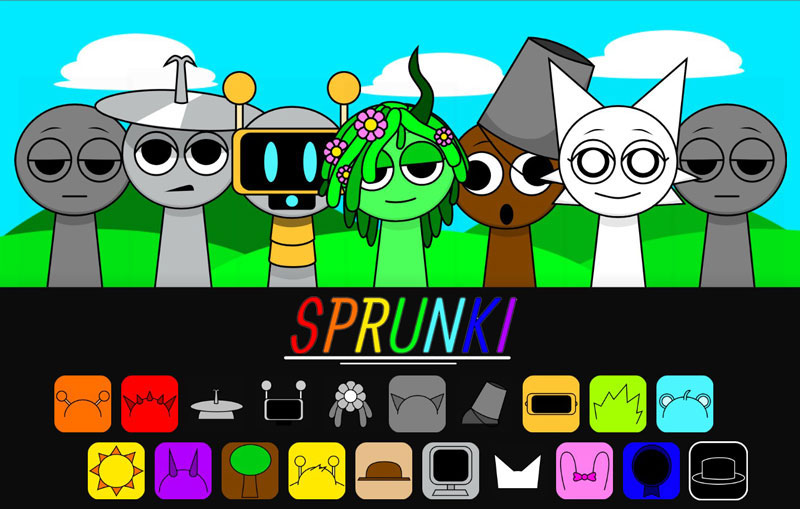
Practice right here with Sprunki Phase 1 (mobile-ready)
Phase 1 gives beginners the clearest daytime screen, zero cluttered effects, and fast browser startup on phones and laptops alike. Tap once inside the stage to unlock Web Audio, then drag one Beat, one Effect, one Melody, and one Vocal onto the silhouettes.
Rotate your phone for landscape play
S P R U N K I · W I K I
Warming up the beat…
Loading game...
Sprunki Phase 1
On phones, tap the Landscape button beneath the player header to rotate into wide stage view so all twenty tray icons sit comfortably under your thumb.
The short version
- Download or app store install required
- None — 100% browser-playable on iOS Safari, Android Chrome, and desktop
- Account or login required to play
- None — free anonymous play across all 279 hosted Sprunki builds
- #1 cause of silent audio on iPhone
- Hardware silent/mute switch on or Web Audio waiting for first stage tap
- Best mobile orientation
- Landscape mode via the built-in Landscape / Fullscreen toggle
- Fastest beginner mix formula
- 1 Beat (Oren) + 1 Effect (Gray) + 1 Melody (Mr. Sun) + 1 Vocal (Pinki)
Can you play Sprunki free on mobile without downloading an app?
Yes — you do not need to install an APK, hunt for unofficial App Store clones, or risk sketchy file downloads to play Sprunki on mobile in 2026. Every hosted build on Sprunki Wiki runs directly inside standard mobile and desktop browsers (iOS Safari, Android Chrome, Edge, Firefox, and Chromebook ChromeOS) using self-hosted HTML5 and Web Audio runtimes.
Avoiding fake app-store clones also protects your device and saves storage. Unofficial mobile apps frequently wrap outdated single builds behind aggressive full-screen popups, whereas playing in the browser lets you switch instantly between Classic Sprunki, Retake, Pyramixed, Mustard, and numbered Phases in seconds.
- Zero installation: opens straight in Safari, Chrome, or Firefox with no storage bloat.
- Zero sign-up wall: play, test Horror Mode, and switch mods anonymously right away.
- PWA shortcut option: add Sprunki Wiki to your home screen for an app-like full-viewport launch.
- 279 tested browser builds: broken or stalled builds are filtered out instead of wasting your data.
Mobile & Browser Troubleshooting Matrix (Searchable)
If audio stays quiet, drag gestures feel cramped, or a heavy phase build pauses on a loading screen, filter the troubleshooting matrix below by your device or symptom to fix it in under ten seconds.
| Device / Symptom | Root Cause | 10-Second Fix | Pro Tip |
|---|---|---|---|
| iPhone / iPad — No Sound | iOS mute switch is on or Safari locked Web Audio before first gesture | Flip side ringer switch off silent, raise media volume, tap inside stage once | Tap a performer silhouette after loading to wake AudioContext |
| Android Chrome — Delayed Audio | Power-saving mode or background tabs throttling audio buffers | Disable Battery Saver temporarily and close unused browser tabs | Use headphones to eliminate speaker compression on heavy Horror bass |
| Tiny Icons on Phone Portrait | 20-icon tray compresses horizontally in tall portrait mode | Tap the Landscape button below the player or rotate phone sideways | Landscape doubles tap target width for accurate drag-and-drop |
| Drag Gesture Scrolls Page Instead | Swiping outside the iframe canvas triggers browser page scroll | Start your finger squarely on an icon inside the game border and glide up | Lock fullscreen/landscape first so vertical page scroll stays inactive |
| Black Screen After 100% Load | Click-gated browser build waiting for a single user click to start audio | Tap or click once squarely inside the center of the game canvas | Watch for the 'Click the game once to start' pill over the stage |
| Slow Startup on Large Mod | Heavy phase/Unity builds download larger sprite and WAV/OGG bundles | Wait for the progress bar to hit 100% rather than reloading early | Start with fast lightweight builds like Phase 1 or Classic Sprunki |
| Chromebook / School Wi-Fi Lag | Hardware acceleration disabled or low RAM with 20+ open tabs | Enable chrome://settings hardware acceleration and keep one active tab | Use Reload button if a tab wakes from sleep with desynced loops |
| Loop Sounds Out of Sync | Browser tab slept while audio timers kept drifting | Tap Reload below the player or clear all seven slots and re-drop | Drop your Beat icon first so every subsequent layer locks cleanly |
| WebGL Context Warning | Browser GPU process hit memory limit or older graphics driver | Restart browser tab or switch to a standard HTML5/TurboWarp Sprunki build | Most core 2D Sprunki music mods run smoothly even on low-end GPUs |
Your first 60 seconds: the foolproof 4-layer beginner mix
First-time Sprunki players almost always make the same mistake: they drag seven random icons onto the stage as fast as possible, hear a chaotic wall of competing vocals, and assume the game has no rhythm structure. Underneath the cute characters, Sprunki works just like a four-track mini studio divided into Beats, Effects, Melodies, and Vocals.
Follow this four-step sequence on your very first session and your loop will sound intentional in under sixty seconds. Because every character loops on the exact same shared bar clock, dropping layers one by one lets your ear hear how each group locks into the pocket.
- Step 1 (Seconds 0–15) — Anchor the Beat: Drag Oren (kick/hi-hat) or Fun Bot onto slot 1 so the tempo feels solid.
- Step 2 (Seconds 15–30) — Add Low-End Depth: Drop Gray or Garnold from the Effects group onto slot 2 for steady bass gravity.
- Step 3 (Seconds 30–45) — Layer One Hook: Add Mr. Sun, Durple, or Simon from Melodies so the track gets a recognizable tune.
- Step 4 (Seconds 45–60) — Crown With a Vocal: Place Pinki or Mr. Fun Computer in slot 4, then experiment with muting/soloing individual performers before filling slots 5 to 7.
Mastering stage controls: mute, solo, remove, and live drops
Great Sprunki players do not just build a static seven-character loop and stop — they perform live transitions using the hover/tap controls directly underneath each active character on stage. Hover over (or tap once on mobile) any active performer to reveal three core actions: Mute (silence the track while keeping the character on stage), Solo (isolate that single character so you hear its exact stem), and Remove (pull the icon back to the tray to open a fresh slot).
Using Mute and Solo turns a simple four-bar beat into a full mini-song. Try building all seven slots, muting your Beats and Bass for two bars so only Pinki and Mr. Sun float in the air, and then unmuting Oren, Clukr, and Gray right on beat one for a clean drop. That live arrangement technique works identically on phones, tablets, and desktops.
Choosing the smoothest Sprunki mods for phones and Chromebooks
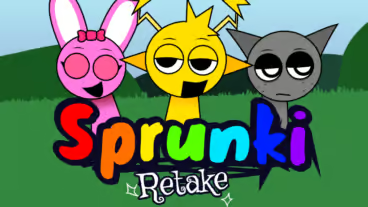
Not all 279 builds in the catalog have the exact same memory footprint. Standard 2D drag-and-drop music mixers — including Classic Sprunki, Phase 1, Phase 3, Sprunki Retake, Sprunki Pyramixed, and Baby Sprunki — are lightweight, responsive, and comfortable even on mid-range smartphones and older school laptops.
By contrast, 3D arcade spin-offs, Unity shooters, and massive multi-phase compilation mods require more RAM and smoother GPU acceleration. If you are playing on cellular data or an older tablet, stick to core 2D music mods first, rotate to Landscape mode, and bookmark your favorite tested pages so you return directly without re-searching.
Zero-cost ways to level up your ear after your first mix
Once you can build a clean seven-slot groove on mobile or desktop, Sprunki Wiki includes three zero-download ways to sharpen your ear and explore deeper mods. Use the interactive Character & Phase Explorer right below this guide to look up every performer's exact sound role and track how many of the twenty characters and seventeen catalog phases you have discovered locally in your browser.
When you want a quick five-round challenge, open Daily Mix to guess mystery character stems by ear, or launch the Sound-Layer Mix Planner to test frequency balance before recording your next custom remix.
Questions this post answers
Is Sprunki free to play on iPhone and Android browsers?
Yes. Every Sprunki build on Sprunki Wiki is 100% free to play directly in iOS Safari and Android Chrome with no app download, no paid subscription, and no account required.
Why does Sprunki have no sound on my iPhone or iPad?
iOS silences Web Audio whenever the physical side mute switch is enabled or before you tap inside the game frame. Turn off silent mode, turn up media volume, and tap once inside the stage to unlock audio.
How do I play Sprunki in fullscreen landscape on mobile?
Tap the Landscape button right below the game player frame on Sprunki Wiki, or rotate your device sideways with orientation lock disabled. Landscape mode widens the 20-icon tray so dragging characters is effortless.
Why do some Sprunki mods stay black after loading finishes?
Many HTML5 music builds pause on a black start screen until they receive one direct tap or click to satisfy browser autoplay rules. Tap the center of the stage once to wake the audio engine and reveal the cast.
Which Sprunki build is easiest for complete beginners?
Start with Classic Sprunki or Sprunki Phase 1. Both feature bright, unmistakable icons, crisp daytime sound separation, fast mobile loading, and the exact 20-character layout used across almost every later mod.