Guides · 9 min read
Sprunki Sound Groups and Mixing Guide
How to turn seven random Sprunki icons into a clean, balanced track: the 2-1-2-2 slot formula across Beats, Effects, Melodies, and Vocals, plus ready-to-play Normal and Horror combos.
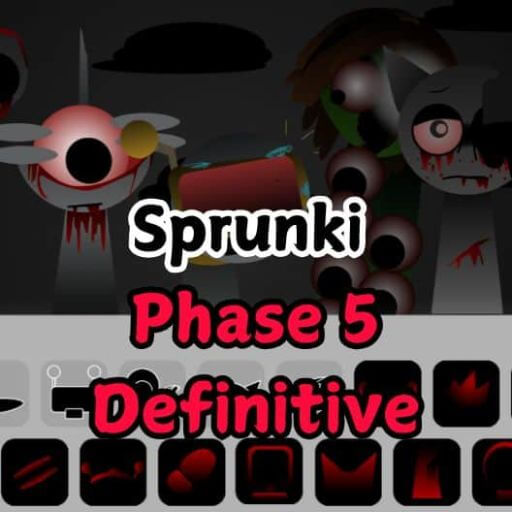
Test the 7-slot formula in Definitive Phase 5
Definitive Phase 5 has dense horror textures that quickly expose a cluttered mix. Build a loop one sound group at a time — Beats first, then Effects, Melody, and Vocals — and hear how much cleaner the track stays.
Rotate your phone for landscape play
S P R U N K I · W I K I
Warming up the beat…
Loading game...
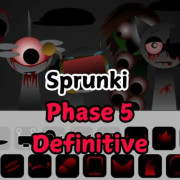
Sprunki Definitive Phase 5
You only have seven active performer slots on stage, even though twenty icons sit in the tray.
The short version
- Active stage slots
- 7 performers playing simultaneously
- Tray sound groups
- 4 groups (5 Beats, 5 Effects, 5 Melodies, 5 Vocals)
- Recommended balanced ratio
- 2 Beats + 1 Effect + 2 Melodies + 2 Vocals (2-1-2-2)
- Clean horror groove ratio
- 2 Beats + 2 Effects + 1 Melody + 2 Vocals
- Fastest way to fix a muddy track
- Mute overlapping bass Effects or competing lead Melodies
Why most seven-slot Sprunki mixes sound cluttered
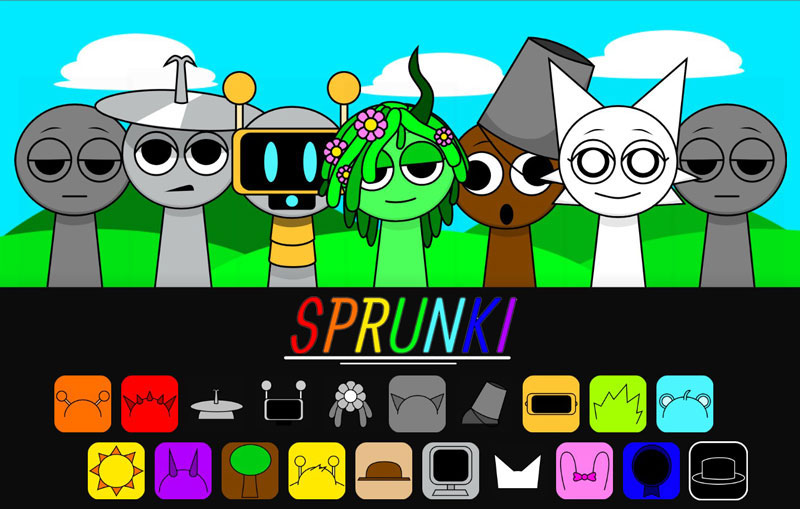
Every Sprunki stage gives you seven performer slots and twenty character icons grouped into four colour-coded categories: Beats, Effects, Melodies, and Vocals. Most players drag their seven favourite characters onto the stage at once and wonder why the loop turns into noisy chaos.
The culprit is frequency crowding. Stacking four Melodies at the same time makes piano, trumpet, organ, and 8-bit synth fight over the exact same midrange space. Similarly, piling three heavy Effects on top of two bass-heavy Vocals buries the kick and snare. Treating the seven slots like a miniature band arrangement fixes the mix in ten seconds.
- Beats (Oren, Raddy, Clukr, Fun Bot, Vineria): lock the groove and tempo.
- Effects (Gray, Brud, Garnold, OWAKCX, Sky): anchor sub-bass and stereo texture.
- Melodies (Mr. Sun, Durple, Mr. Tree, Simon, Tunner): carry the memorable hook.
- Vocals (Mr. Fun Computer, Wenda, Pinki, Jevin, Black): provide contrast and climax.
The 2-1-2-2 formula for crisp Normal Mode beats
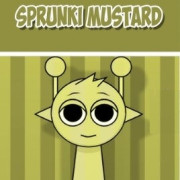
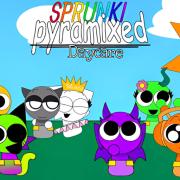
For bright Normal Mode builds — including classic Sprunki, Mustard, and Pyramixed — start with the 2-1-2-2 blueprint: two Beats, one Effect, two Melodies, and two Vocals. Begin by placing Oren (kick) and Raddy (snare/hi-hat) or Fun Bot (Amen break) so the drum pocket locks immediately.
Next, drop Gray in slot three for clean low-end bass. Add one chordal Melody like Mr. Sun (piano) or Mr. Tree (organ) alongside one counter-melody like Tunner (whistle) or Simon (8-bit synth) so the two hooks complement rather than clash. Finish with Pinki and Jevin or Wenda for vocal lift. Because every frequency band has room, each mute or solo click feels like a live DJ drop.
The 2-2-1-2 formula for dark Horror Mode & Phase builds
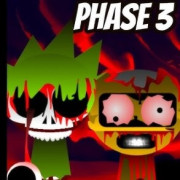
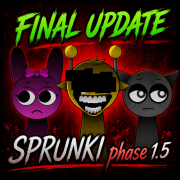
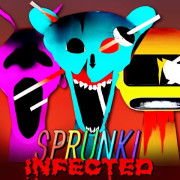
Horror Mode and Phase 3–5 mods flip the frequency balance: melodies become dissonant and vocals grow much darker and denser. Dropping two competing horror melodies on stage at once creates harsh clashing overtones.
Switch to a 2-2-1-2 layout instead: two Beats (Fun Bot + Oren or Vineria), two contrasting Effects (Gray for low drone + Sky for high music-box sparkle), one focused Melody lead (Tunner or Mr. Tree), and two Vocals (Jevin's choir + Wenda or Mr. Fun Computer). Having only one Melody leaves wide space for Sky's chimes and Jevin's choir to cut through clearly.
Live arrangement tricks: muting, soloing, and tension drops
A great Sprunki performance is dynamic rather than static. Instead of leaving all seven icons running continuously, build a three-part 32-second structure: an eight-second intro with just one Effect and one Melody (Sky + Tunner), a sixteen-second main groove when you bring in both Beats and Gray, and a dramatic breakdown where you mute the drums and let Jevin and Wenda carry the tension before snapping the kick back in.
Because every performer stays synchronised to the master bar clock, muting and unmuting characters on the downbeat never drifts out of time. Use Sprunki Wiki's Sound-Layer Mix Planner tool whenever you want to map out a seven-slot frequency plan before recording.
Pairing characters across specific sound roles
Think in musical pairs rather than isolated icons. Oren + Vineria delivers tight kick-and-shaker groove without dominating the upper frequencies; Fun Bot + Clukr creates fast breakbeat shimmer; Gray + Garnold builds thick synth-bass atmosphere; Durple + Mr. Sun stacks brass accents over piano chords; and Jevin + Pinki contrasts deep choir resonance with airy upper vocals.
Use the interactive Character Sound Lookup below to filter all twenty performers by group, inspect each role, and mark characters discovered as you test them.
Questions this post answers
What are the four Sprunki sound groups?
Sprunki divides its 20 characters into four groups of five: Beats (rhythm), Effects (bass and texture), Melodies (tunes and chords), and Vocals (singing, choir, and hidden vocal).
How many Sprunki characters can play at once?
Every standard Sprunki stage has 7 active performer slots, so choosing a balanced mix across all four sound groups prevents overlapping frequencies.
What is the best 7-slot Sprunki combination for beginners?
Use the 2-1-2-2 formula: Oren and Fun Bot (Beats), Gray (Effect), Mr. Sun and Tunner (Melodies), and Pinki plus Jevin (Vocals).
Why does my Horror Mode mix sound muddy?
Horror builds use heavier reverb and dissonant overtones. Cut back to one Melody and pair Gray with Sky for clean separation between low bass and high chimes.